iOS 27 Launch Observations
Last updated: November 13, 2026
Apple officially launched iOS 27 on September 14, 2026.
As we saw in the iOS 27 beta versions, the Unknown Sender Inbox remains off by default and the Spam folder is on by default in the official launch.
We are monitoring a link and special character bug in iOS 27.
The operating system (as of version 27.2.1) doesn't show the usual link formatting (blue and underlined). This is cosmetic only. The full URL still comes through when clicked, so refcodes and redirects aren't affected, and no action is needed on your end.
Details below.
Link & Special Character Bug
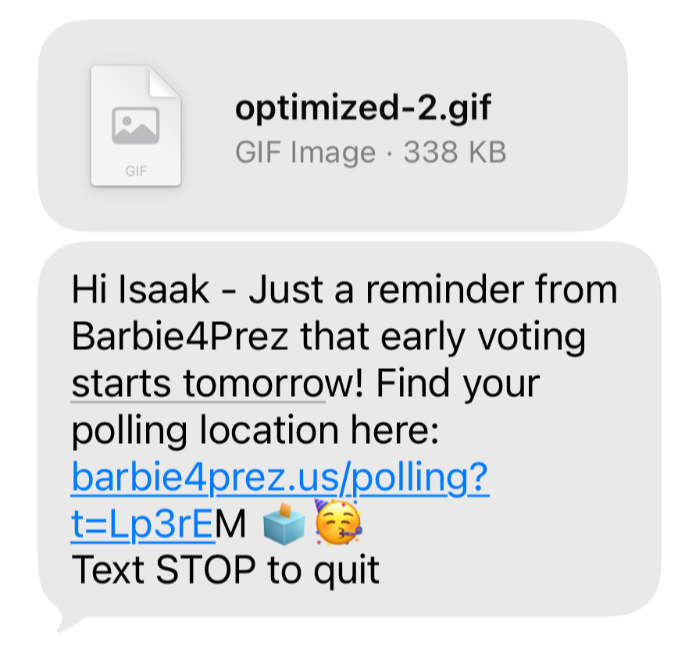
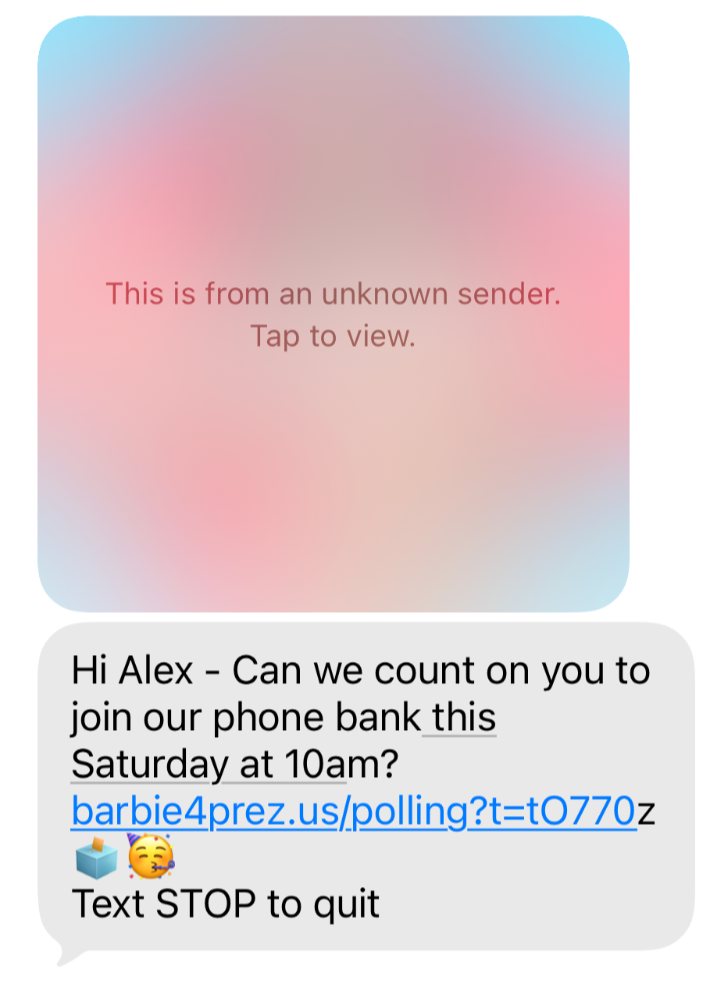
With iOS 27, Apple introduced a bug that affects some URLs and stylized characters in MMS messages. In our observation, this occurs when an MMS message is sent with an image and contains special characters and/or a URL.
This is cosmetic only. The full URL still comes through when clicked, so refcodes and redirects aren't affected.
Because this is a bug with the phone operating system, we cannot fully isolate and fix the bug on our own.
The special character bug specifically seems to be triggered by date or time "action" words, that iOS is trying to turn into calendar suggestions for the user (like "today," "tomorrow," or "next Tuesday").
We are actively exploring workarounds that might avoid triggering it, and have escalated this with our partners. Ultimately we are limited to workarounds but hope that Apple will address the bug in an upcoming software update.
Observations
We have observed this across providers and carriers, on MMS messages sent to iOS 27 devices. We’ve also observed this from commercial senders, like Chipotle (see examples). The conditions that trigger the bug are: sending an MMS message, with an image attachment, and including a URL or date/time based "action words" with special characters.
How Can I Fix This?
Because this is an Apple iOS27 bug, there is nothing concrete Switchboard can do to fix the appearance of this bug in your texts. However, if you are willing to remove special characters (like bolding, italics, emojis) and remove images, that may help! We recommend testing to iOS 27 devices to be sure.
Examples
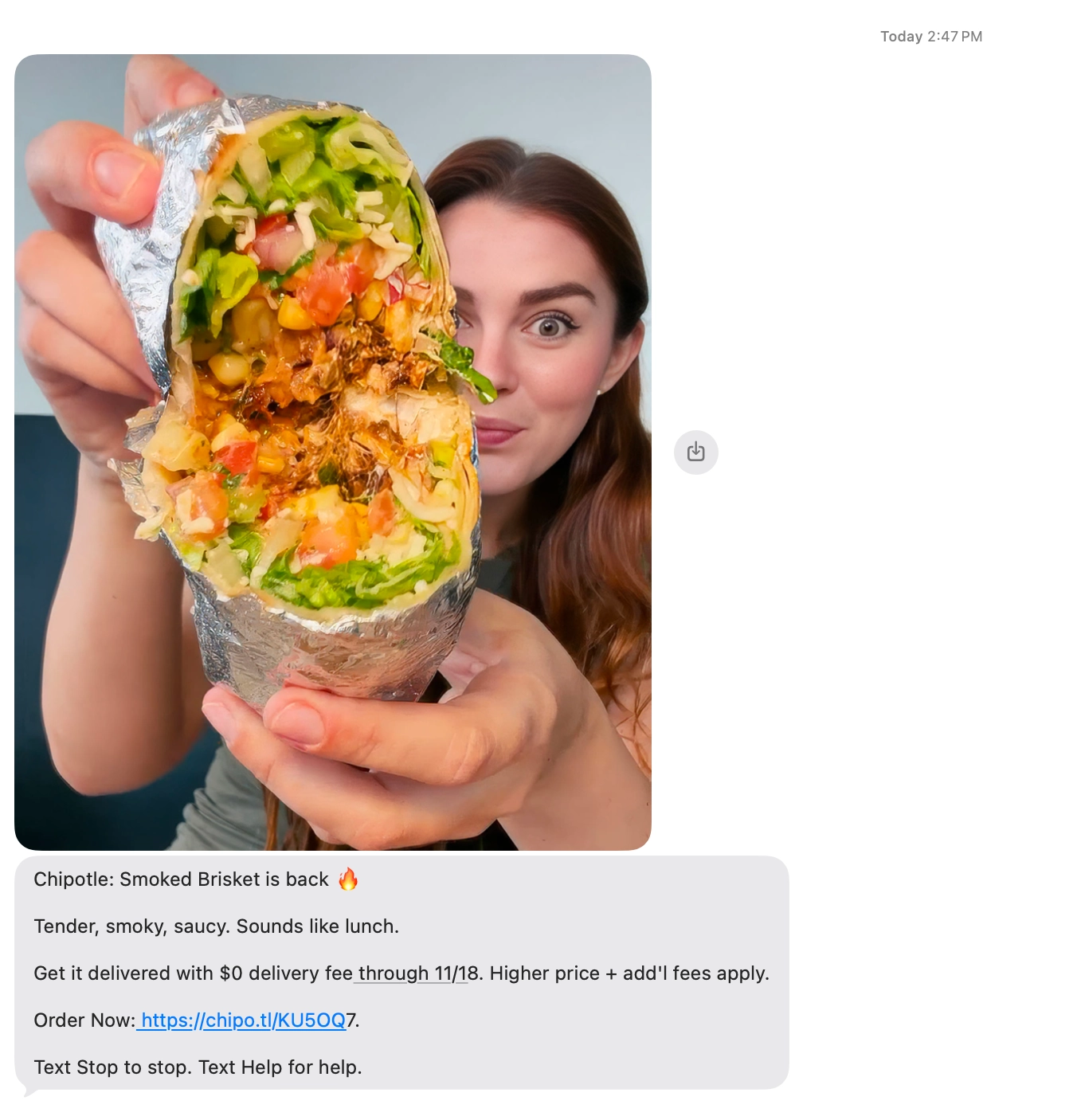
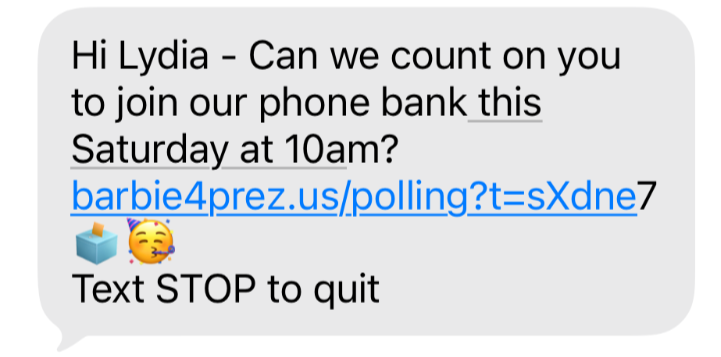
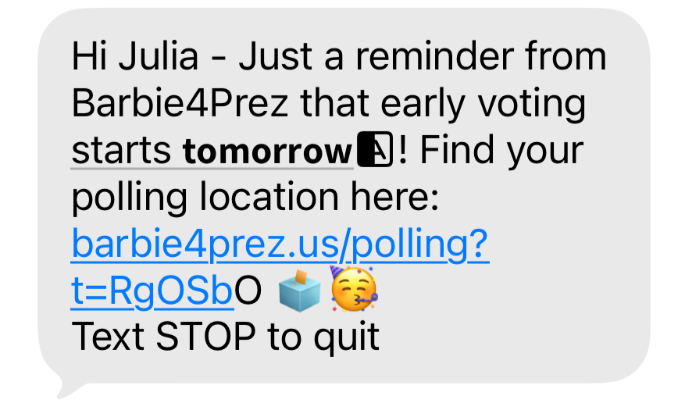
Key Observations:
When Unknown Sender Inbox is enabled, iOS 27 blurs images received from an unknown number with text over the image that reads "This is from an unknown sender. Tap to view." (this behavior has changed since the iOS 27 betas). We’re observing some variation in which instead of images being blurred they will appear as a file in the text thread. When the Unknown Sender Inbox is toggled off, images appear normally in recipients’ text threads.
We’re observing that gifs and videos continue to appear as a file in the text thread, instead of showing the image directly. Recipients can still click the file and it will open fullscreen in the Messages app. Gifs and videos appear as files regardless of whether the Unknown Sender Inbox is toggled on or off.