Import & Export Expansions Steps
Last updated: October 22, 2026
If you reuse the same Automatic Expansion steps across broadcasts, you can now Export expansion steps from one broadcast (export = download as JSON or YAML) and Import them into another (import = copy/paste in the JSON or YAML), including broadcasts you've already drafted or broadcasts in another Organization.
Imported steps will show up in the Automatic Expansions modal just like steps you create manually. You can edit them, remove them, or add more steps before you send.
How do I export expansion steps?
Open the broadcast with the expansion steps you want to reuse.
If the broadcast is
Sentyou can find the Export option at the bottoms of the page under Send Settings.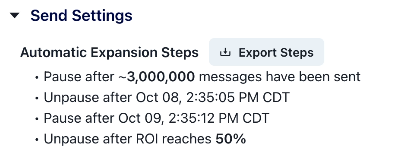
If the broadcast is in
DraftorPausedstatus, click into Automatic Expansions and then find the Export option at the top right of the Manage Expansions page.
Select whether to download the expansions as
YAMLorJSONfile (there is no difference between these two - just whatever your personal preference is).Once downloaded, open the
YAMLorJSONfile in a text editor and then copy the contents.
How do I import expansion steps?
Open the broadcast you want to add the expansions steps to.
Attach an audience if you haven't already. The Automatic Expansions button is only visible if the broadcast has an audience.
Click Automatic Expansions, then click Import in the upper right corner.
Paste the
JSONorYAMLfrom your Exported Steps into the Import Steps modal.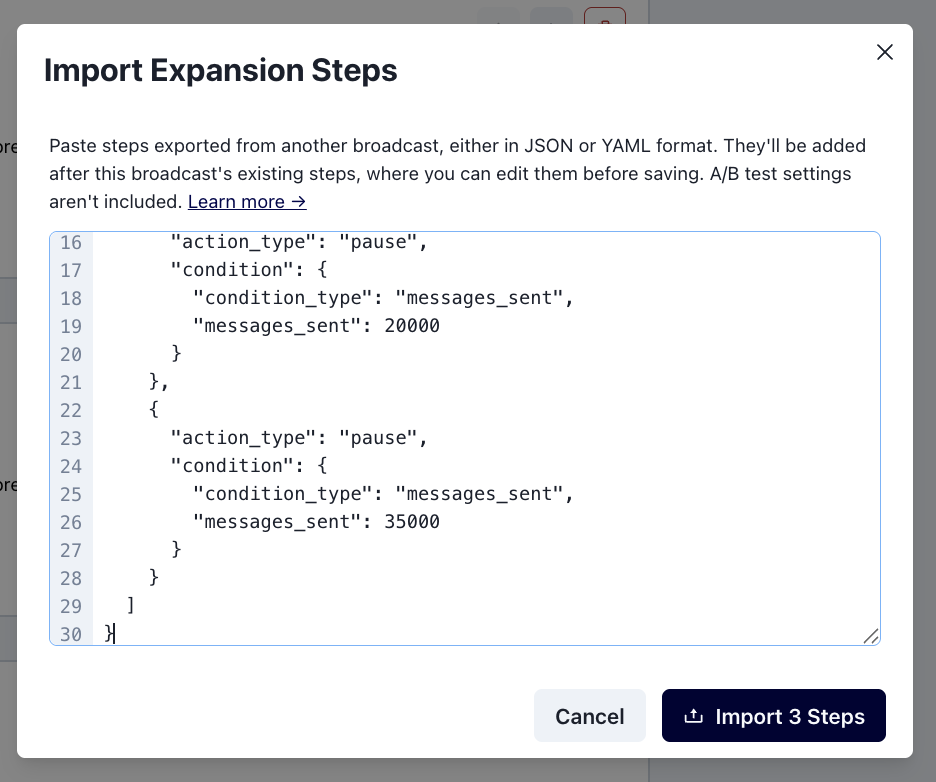
Click Import Steps. Your imported steps will appear in the expansions modal. Note that the newly imported steps will be added after any existing steps.
Please verify that the expansion step values are valid before sending.
Things to know
Expansion Values Are Cumulative
Expansion values are cumulative totals for the entire send, whether you add them by hand or import them. Steps built for one audience size may not make sense for another.
Example: If you import a step to pause after 50,000 messages sent on a broadcast with an audience of 20,000 phones, that pause step will never trigger.
A/B test settings aren't included in Export
Export only includes Expansion steps, not A/B Test Settings. If you Export expansions from a broadcast with A/B Test configurations, the Winner Criteria and Audience Split will not be included in the Export file.
You can import Expansion steps onto a broadcast with A/B Test configuration.