Forms + Reusable Fields
Last updated: November 5, 2024
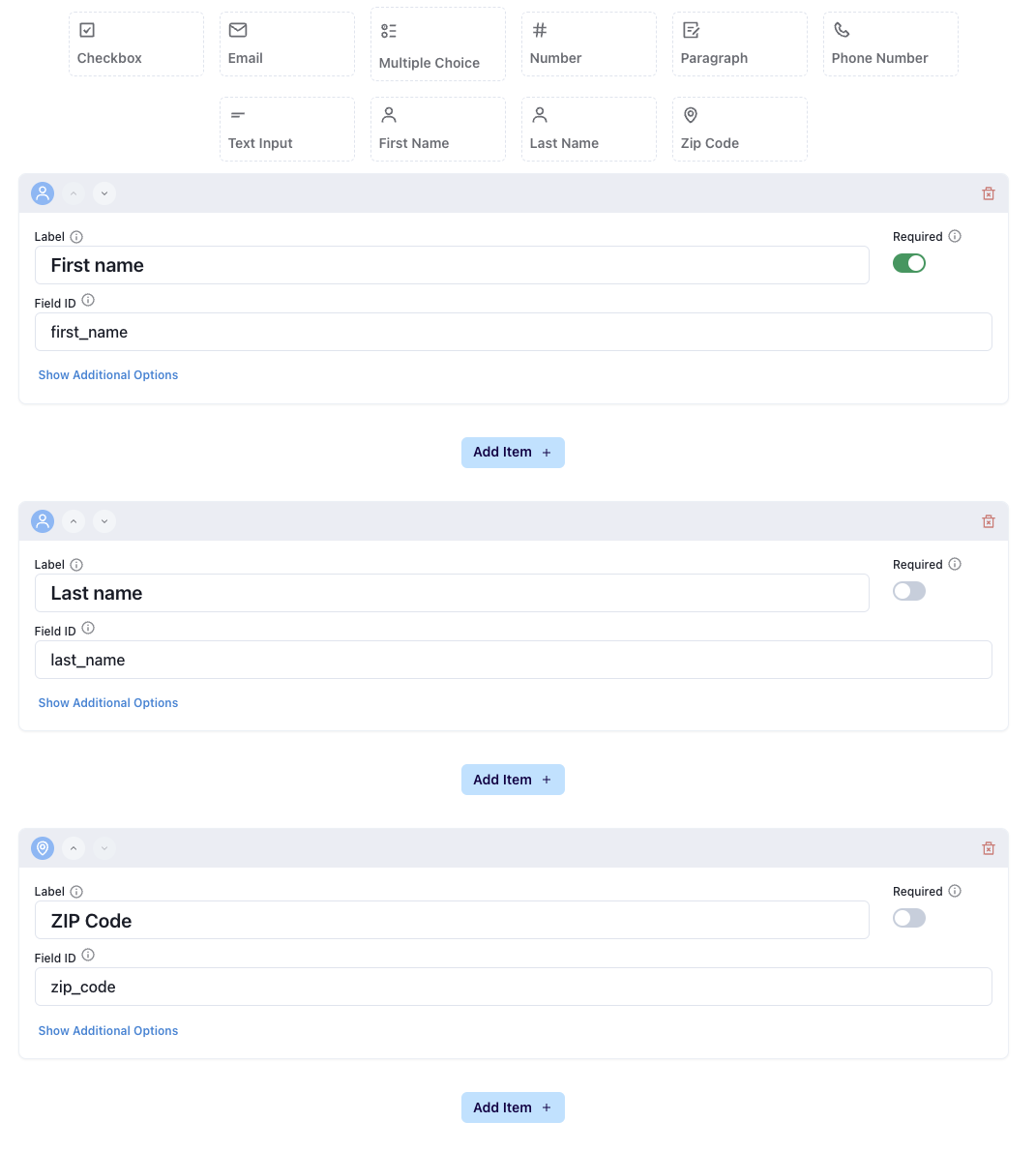
When you create a new Switchboard form, by default, a few elements will be included. You can remove these by clicking the trash on the right hand side if you don’t need these on your form.
If a recipient gives you a cell or email that you already have and fills out any of these elements: first name, last name, and ZIP code, the reusable fields associated with that cell phone number or email address will be updated.
See more about Switchboard Reusable Fields here:📄 How to Use Reusable Fields
If you want to pre-fill the cell or email, check out these instructions:📄 Pre-Fill Form Fields
Regardless of what you change the label or field ID to for any of these fields, the response will be saved as sb_first_name, sb_last_name, and sb_zip_code.
Example: If you want to only ask for first name then have an open text input field, for example, you should add a new question by clicking the Text Input button, instead of changing the label / field ID for Last name.