Sending by Time Zone
Last updated: December 9, 2025
You can now schedule your Switchboard broadcast to send in a recipient's timezone! The recipient's timezone will be determined by their zip code, or area code of their phone number as a fallback.
How do I send by time zone?
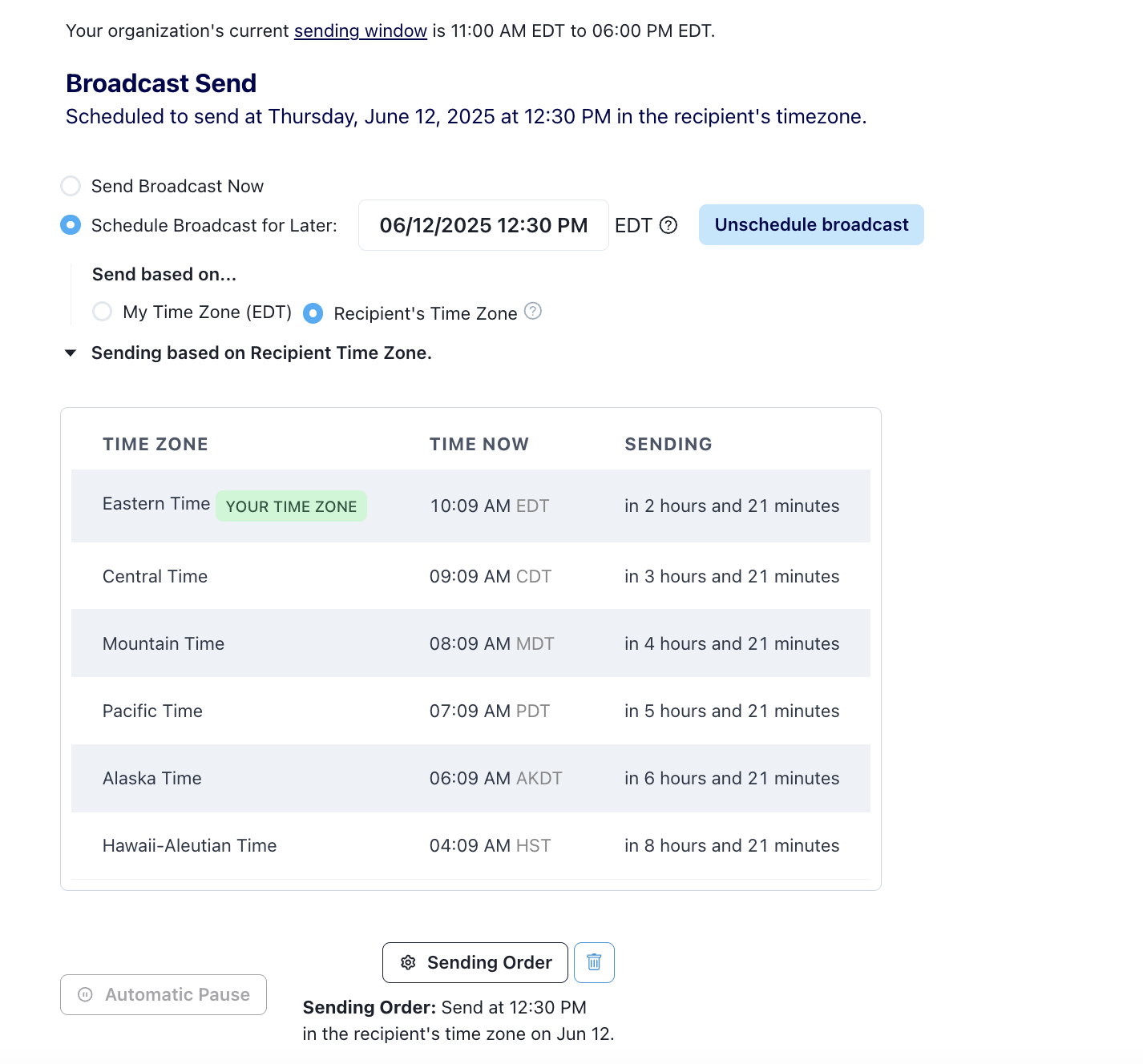
When scheduling your broadcast, select “Schedule for Broadcast for Later”
Set your desired scheduling time and select “Send based on… Recipient’s Time Zone”
A table will appear showing you what time it is currently in each time zone and when your message will start sending in each time zone
Hit “Schedule Broadcast”
Sending by time zone + automatic pause:
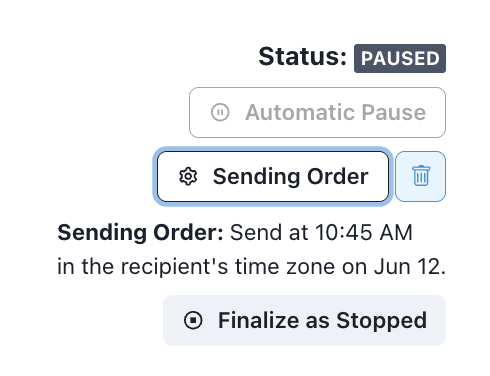
You can use time zone sending along with the automatic pause feature! You can set you automatic pause in the automatic expansion section.
You can decide whether to resume your paused message with time zone ordering or to remove it and send everything at once (if the time has already passed in the recipient’s time zones, note that the messages will also be sent at once).
You can remove the time zone send order via the trashcan icon next to send order.
Notes:
If your scheduled time has already passed for certain recipients’ time zones, their messages will be sent immediately.
Sending by time zone will NOT override your organization’s sending hours
For example if you schedule a message for 6pm in time zones, but your organization’s sending hours end at 8pm ET, the message will not send at 6pm PT since it’s 9pm ET at that time.
If you want to update your organization’s sending hours, you can do that here!
You can only use one type of Send Order at a time (either by time zone or by priority with sb_custom_score).
You CAN still use the custom_score filter to create your audience and then send to that audience using time zone send order.
You CAN use send by time zone in conjunction with Finalize Audience.
You can learn more about the Finalize Audience feature here!
The following non U.S. phones will be sent in the closest U.S. timezone:
Guam (670 & 671 area codes) - EST
Toronto (647 area code) - EST
Calgary (587 area code) - MST
Samoa (684 area code) - SST
Any numbers with non U.S. country codes (ex: +44) get skipped in Switchboard