Sending "donation pledges" from a basic form to a fundraising form
Last updated: May 4, 2026
Many organizations create basic forms that redirect to a fundraising form upon submission. Supporters are often asked to make a donation pledge before the redirect:

Organizations building this type of experience can now forward the supporter-selected donation amount to the next page in the flow, if the service supports amount as a URL parameter (as ActBlue and Count On Me do).
To set this up:
Create your Form
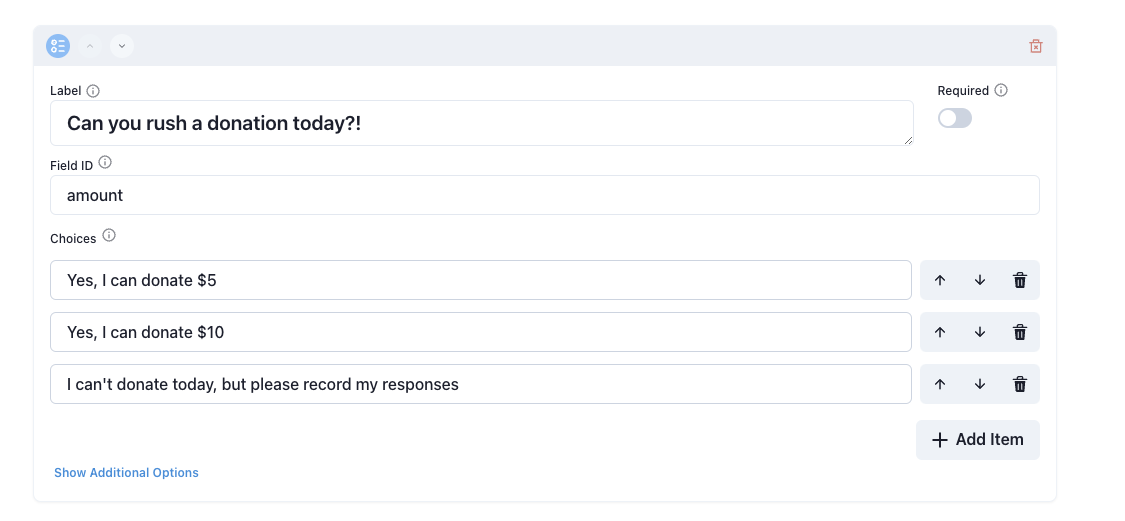
Add an item for the donation pledge - we recommend including a $ in your copy, especially if you plan to include another number in the sentence (e.g. “Yes, I’ll donate $5 to propel us to victory in 2026”)
Set the Field ID to amount
Publish and Share your Form
The supporter-selected amount will be appended to the redirect URL's query parameters so that it persists and is selected by default on the new page. Please note that if your URL has multiple amount parameters, ActBlue defaults to using the last value, which in this case would be the supporter-selected amount.
If you are uninterested in using this feature, simply do not change the field ID from the default and your Forms will continue to work as they always have (supporter-selected amount will not be added to URL).