Share Data Across Your Switchboard Organizations
Last updated: February 24, 2026
Many of you have several Switchboard organizations. You can leverage data from your other Switchboard accounts to better target your broadcasts or blasts. You can also send lists directly from one Switchboard account to another.
Setting up data sharing
Under Organization Settings, configure sharing by selecting which Organization to allow access. For two-way sharing, you must be an Organization Owner in each Switchboard organization.
Shared anonymized data accessible via the Audience Builder includes:
Opt Outs & Unsubscribes
Clicks
Opens
Replies
Donations
Send Status
This makes it easy to suppress your short code audience from your long code audience without uploading CSVs each day.
Transferred phone & email lists will include:
Phone number or email address
Reusable fields
List fields, if applicable
How to use this data
Once you set up data sharing, you will see "Shared Organization" filters under Advanced Targeting in the Audience Builder.
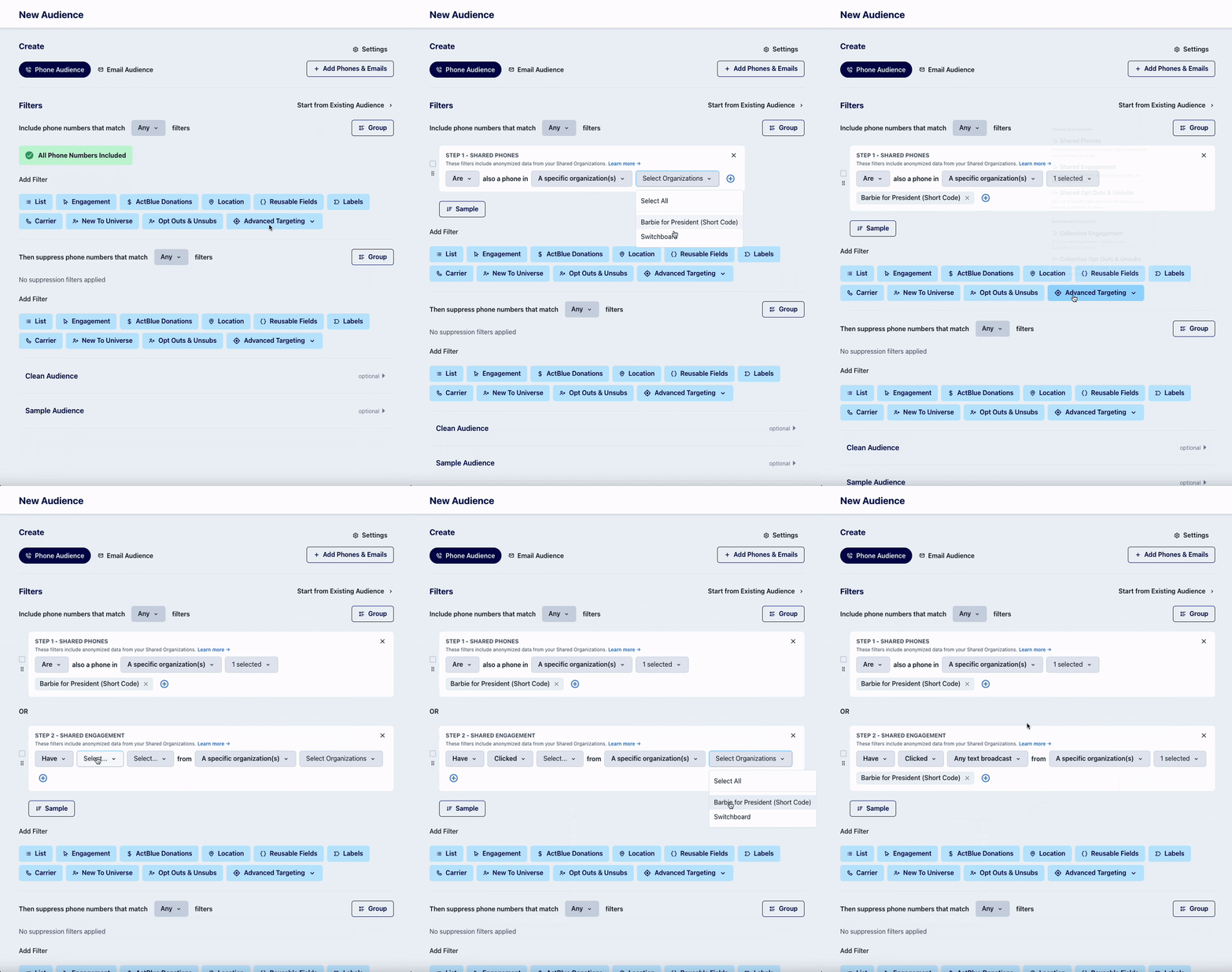
To transfer a list to another organization, navigate to the phone or email list. Click Export and then Transfer to Shared Organization(s). You have to be a Messaging Admin to have access to this capability.
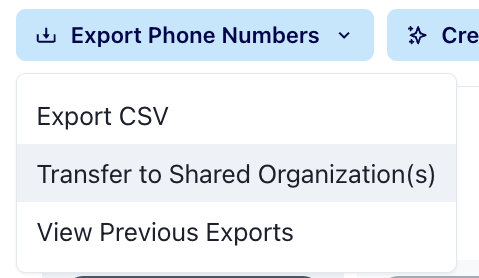
List transfers are not reversible, so please use this feature carefully.
FAQs
Can I share data from Organization A to Organization B, but not from Organization B to Organization A?
Yes, by default the data sharing is not bidirectional. You can choose which orgs send and/or receive data in on the settings page.
If I turn on data sharing, will Organization A receive new phone numbers from Organization B automatically?
If you are using the targeting option in the audience builder, no new data will be created. Only phone numbers that already exist in Organization A will be included in the audience if they match phones in Organization B's universe.
If you transfer a list from Organization B to Organization A, then the phone numbers that were not already in Organization A will be added to that account.
Who can access the new filters in the Audience Builder?
While Org Owners are the only ones who can configure sharing, any messaging user can access these filters in Audience Builder
I don't see a Data Sharing tab under Organization Settings
You need to be an Organization Owner - reach out to your Organization owner to have your permissions upgraded
Can I transfer a saved search?
No, you can only transfer a saved list - you can convert a saved search to a list at any point.
What information is not shared in a list transfer?
We do not include the email(s) linked to a specific phone number, or vice versa
ActBlue data is not transferred
Labels are not transferred
What's faster, a list transfer or a CSV upload?
transferring lists between organizations is generally faster than uploading CSVs individually to each of your organizations