Send Personalized Polling Location Information to your Audience (GOTV)
Last updated: October 21, 2026
We've added a Polling Location utility to the broadcast editor and canned responses. This drops an iwillvote.com link into your message, complete with query parameters for recipient address.
Recipients who tap these links will be taken to a page with personalized polling location info: drop-off sites, early voting locations, and election day voting locations.
Don't have complete address coverage for your list? No problem. The fallback behavior is graceful; recipients without an address will be taken to the main iwillvote.com page and can input their address to continue.
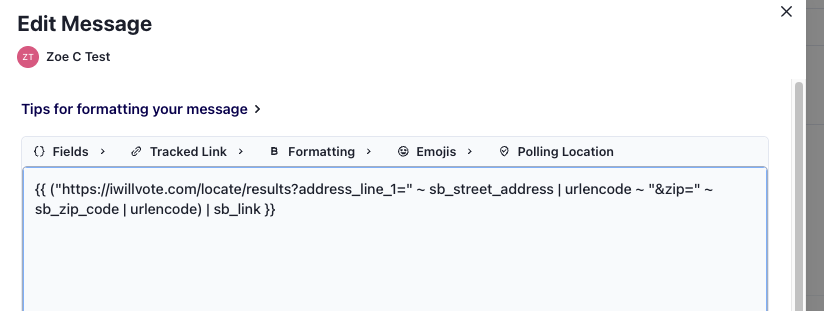
Below is a step-by-step guide for uploading a list with address info and composing your GOTV text.
Indicate Location for your Recipients
The most basic way to do this is to Upload a CSV with columns for phone number, street address, and zip code. Other address fields, like city, are not necessary.
In the list upload interface, map your columns onto our reusable fields sb_street_address and sb_zip_code.
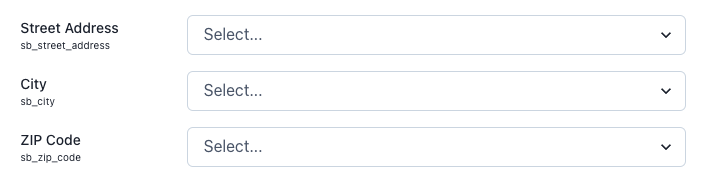
Be sure to strip any commas from your address data before uploading it into Switchboard as a CSV. Data in a CSV is separated by commas, so additional commas in the address field may throw off the data associated with each column resulting in the wrong information saved in Switchboard's reusable fields. If you are not sure how to do this, upload your file to Google Drive / Sheets, then export as a csv. Google's export will correctly format your data.
You can alternatively use any other method of audience building, such as importing from NGPVAN. As long as the location data is present and mapped to our address and zip code reusable fields, we'll be able to pull it in.
Add Polling Location Links to Broadcasts
When you are drafting your text, you will see the menu item for "Polling Location". This button will drop the custom prefilled link (with tracking) into your broadcast wherever your cursor is! You don't need to edit any part of this syntax, just compose your message around it.
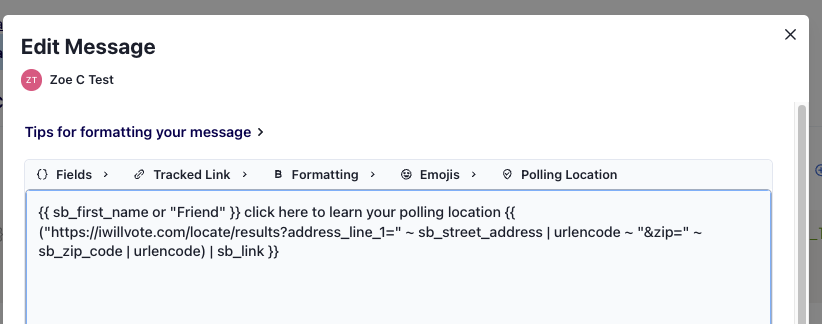
Further down on the page, you can Preview your text and send yourself a sample. Please note that samples pull random addresses from your list, rather than the address that may be associated with your phone number.
Add Polling Location Links to Canned Responses
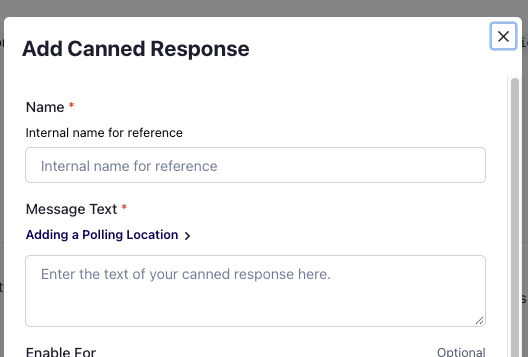
To create a canned response with the Polling Location syntax, click "Adding a polling location" and then copy+paste the syntax into the message text field. Going forward, you can use this canned response to reply to supporters in your inbox.
Polling Location Link FAQ
What happens if I load the wrong information into the Switchboard Reusable Fields?
Unfortunately, we only have the information you provide us. Please be sure to double-check address and zip code information are correct before setting your fields and sending texts with the custom polling location links. If you need to update the data saved in these fields you can always update your CSV and re-upload the data to Switchboard.
What happens if I don't have saved location data for a recipient and I send them the link?
The recipient will click on the link and be prompted to manually type in their address!
How do I track this link like a normal shortlink in Switchboard?
These links already have the tracking syntax applied.