How can I generate a hash file?
Last updated: September 21, 2026
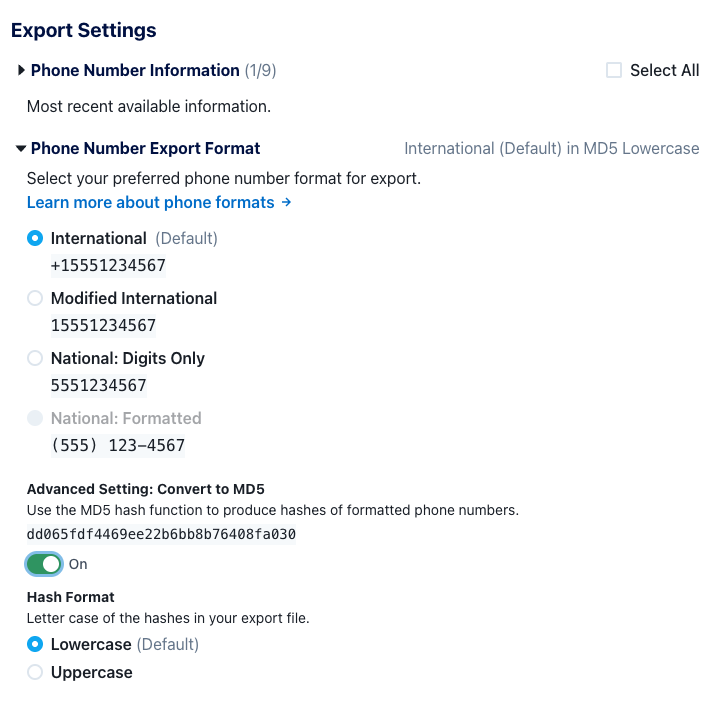
When you go to export a specific phone list, search, or all of your organization's phones from the All Phones page, you'll see an Export Settings modal where you can choose what to include in that export.
Click on the Phone Number Export Format section to expose the option Advanced Setting: Convert to MD5. When you toggle this on, instead of including phone numbers in the export, we will run the phone numbers through the MD5 hash function (either Lowercase or Uppercase depending on what you choose) and just include the resulting hashes in the export. We also by default de-select all other columns for the export, since usually when users are creating hashes they don't want to include any other identifiable information about a specific phone number.
Important: Remember to select which format of the phone number to use. The format you want depends on how you're using the hash file, and if you're sharing it with someone, what format their system expects. For example, if you only want a hash of the 10 digits of the phone number 5551234567, choose National: Digits Only and then toggle on Convert to MD5.