August 2026 Product Update
Last updated: August 12, 2026
🔗 Self-Service Adding of Shortlink Domains
Want to replace your shortlink domain? You can now do this yourself without reaching out to our team.
Head to the Shortlinks page, click "New Domain" in the upper left corner, and check availability for your desired domain name. If it's available, select "Add Domain".
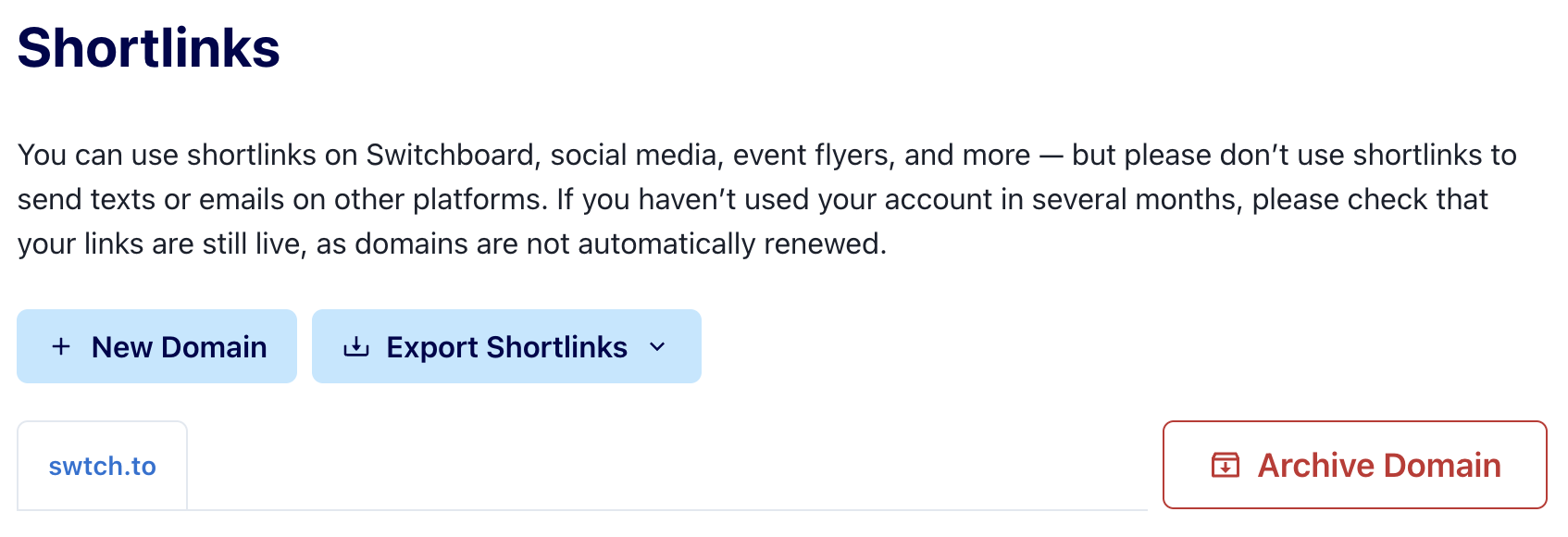
A few things to keep in mind:
Some URLs (e.g. those that end in .us or are too costly) are not eligible for activation.
Organizations are limited to adding a maximum of 4 domains in a 30-day period.
It takes on average 30–60 minutes for the domain to go live — be sure to test your link before using it in a broadcast.
🎨 Count On Me: Custom Domains and Favicons for Forms
You can set up a Custom Domain to use for your Count On Me forms, to more closely associate the form with the brand of your organization or campaign. Organizations using a custom domain can also set a custom favicon that appears in the browser tab when supporters visit your forms, a small but meaningful way to reinforce your brand.
To set your favicon, head to Settings → Forms & Contributions and upload your favicon. Supported formats are .ico, .png, and .svg.
🤖 Beta: Connect an AI Assistant to Switchboard (MCP Server)
Using an AI tool such as Claude or ChatGPT? You can now connect it to Switchboard's MCP Server. Get realtime and summary stats of all of your running broadcasts (across your organizations), search for phones and emails, look up message history with a particular phone number, and more.
You can read more details about how to set it up here.
This is an initial beta release, and we’d love your feedback. The MCP functionality is read-only right now, but we’re planning on adding more capabilities to it, so let us know if there are particular use cases you’d like for this to support. Reply here or send an email to developers@oneswitchboard.com.
⚙ Major Updates to our API and SQL Mirror
This month we’ve been investing heavily to make more of what you do on Switchboard possible through the API, webhooks, and SQL Mirror. We’ve added dozens of new API endpoints, webhook event types, and SQL Mirror tables.
Here's what we've unlocked on those surfaces recently 👇
🏷 Update phone labels in bulk, in one request
You can now update labels across many phone numbers in a single request: upload a CSV of phone numbers, indicate if you want to add or remove specific labels, kick off the job, and check back for status while it runs in the background.
What this unlocks: If you've ever written a script that loops through phones one at a time to apply labels, or uploaded a separate phone list for every label, this one's for you.
Your existing label endpoints are untouched, so anything you've already built keeps working. Full details in the API docs →
💸 Create Count On Me forms, read responses, and manage contributions
Forms, responses, and contributions are now fully manageable programmatically, both to read and to build.
Manage the entire form lifecycle via API — create and edit forms, then publish, unpublish, close, archive, or duplicate them (including across organizations). You can also manage CSS templates, pull per-form performance stats, and read form responses.
Read your contribution data — see contributions, payouts, disputes, and refunds, plus the ability to cancel or downgrade recurring gifts.
Outgoing webhooks for new responses — get notified when supporters submit a new form response.
Access forms and contribution data in new SQL Mirror tables —
forms,form_responses,switchboard_contributions,contributions_accounts,contributions_disputes,contributions_payouts, andcontributions_refunds. See data docs for more details.
What this unlocks: stand up your own real-time fundraising dashboard, spin up a new form for every event without touching the UI, trigger texts or other actions based on a new form response, or push form responses straight into your CRM as they arrive.
One note: any user can create a basic form for surveys and opt-ins via the API. Creating a contribution form still requires completing Stripe onboarding in the UI first.
🎯 Every Saved Search filter is now available in the API
Every filter is now available via the API, including the new Location filter (state, area code, time zone, zip code, or zip code radius), the Field filter (sb_custom_score and sb_custom_source), and a new Form filter that targets contacts based on which forms they've responded to. If you're part of the Switchboard Collective or share data across your organizations, you can also now filter on Shared phones and emails, as well as on Shared and Collective opt-outs and unsubscribes.
If you want to make changes, you can now edit existing Saved Searches with the same filter criteria you'd set on creation. Because saved searches are dynamic queries over your phones and emails, the updated criteria take effect the next time the search is evaluated. Any scheduled Broadcast or Email Blast using it as its audience will send to the refreshed set. Edits sync both ways with the Switchboard UI.
What this unlocks: full flexibility to build, and rebuild, your audiences programmatically.
🪝 Webhooks: new events, now fully scriptable
You can now list, create, update, and configure Webhooks programmatically, including auth settings, enabled state, and event subscriptions. Subscriptions accept individual event types and wildcards like broadcast.*. We've also added new webhook events. See Webhooks section in the API docs for more details and the full list of event types.
What this unlocks: get notified about events on Switchboard without having to poll the API for it. keyword.triggered and form_response.created in particular mean you can kick off a workflow the instant someone texts your keyword or submits a form — for example, create a Slack alert, write data into another CRM, or draft a reply text using AI.
🪩 More in SQL Mirror, including the datasets themselves
Everyone now has access to a new catalog dataset, containing a single organizations table that lists the organizations and datasets you have access to.
Rounding out the tables that landed elsewhere in this update, we also added:
webhook_endpointswebhook_endpoint_subscriptionscanned_responseskeywordsshortlink_domainsimported_hash_filesimported_hashes
What this unlocks: The new catalog dataset means no more hardcoding dataset names. Your queries and pipelines can discover them on their own, especially useful if you manage data for several orgs. And with the new tables, more of your Switchboard setup lives right next to your contact and messaging data: audit keyword coverage over time, check which webhook subscriptions are live, or reconcile suppression files without leaving your warehouse.
⚙ More of your setup, now programmable
Read endpoints for canned responses, keywords, shortlink domains, messaging clients, and email senders, all with filtering and sorting.
Shortlink domain management: set a primary domain, and archive or unarchive domains individually or in bulk.
A new endpoint listing every organization your API key can access, especially handy with a multi-org key.
Fetch and pay invoices, and read your payment methods.
Update a phone list's name, description, and acquisition cost.
What this unlocks: the setup work you've been doing by hand can now run on its own. Rotate a shortlink domain across orgs without clicking through a dozen settings pages, pull your canned responses and keywords into your own QA checks or internal docs, or hand invoice payment off to your finance team.
📚 See every new endpoint in the API Changelog →
📚 See every new table and column in the SQL Mirror Changelog →
💡 Reminders & Tips
🧹 You don't need to add a "Clean Audience" step to Saved Searches
Switchboard automatically skips opted-out contacts when sending a broadcast, and you're never charged for skips or errors because a number is invalid or a landline. The Clean Audience filter is useful if you want a more accurate contact count before you send, but it does take longer to process than other filters. If you want your audience to build faster, try skipping it!
👥 Add a member to multiple organizations at once
Did you know you can invite someone to multiple organizations in a single step? Head to Organization Settings → Members, click Invite Member, enter their email address, and then select all the organizations you'd like to add them to under the Organizations field.
📵 Upload or export opt-outs in bulk
Head to the All Phone Numbers page to upload a list of opt-outs all at once, or export your opt-outs — either all of them or filtered to a specific date range.