March 2026 Product Update
Last updated: March 3, 2026
📝 Forms 2.0
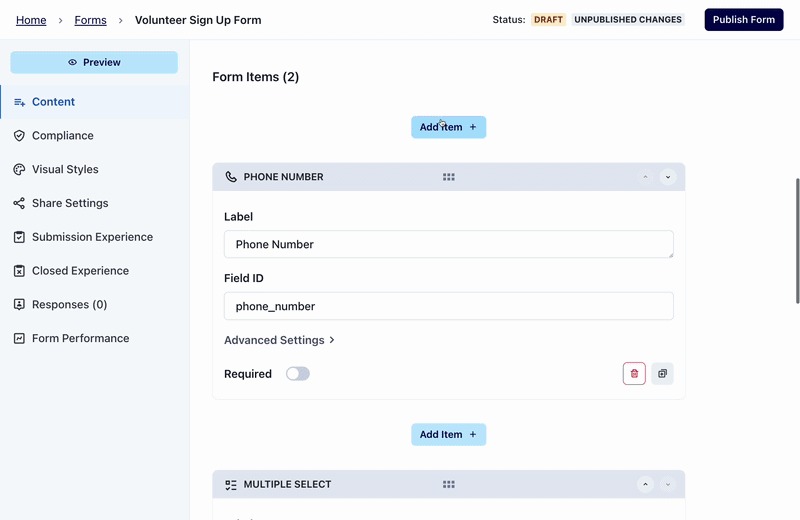
We’ve shipped big improvements to our free Forms tool to give you more flexibility, better supporter experiences, and stronger workflows from signup through follow-up. Check it out here: https://oneswitchboard.com/forms
What’s new:
Expanded customization options
Ability to save custom CSS templates
Faster, more reliable saving
Easier sharing, previewing, and tracking responses
📚 You can read the full overview on what’s new here!
🚀 Introducing Mission Control
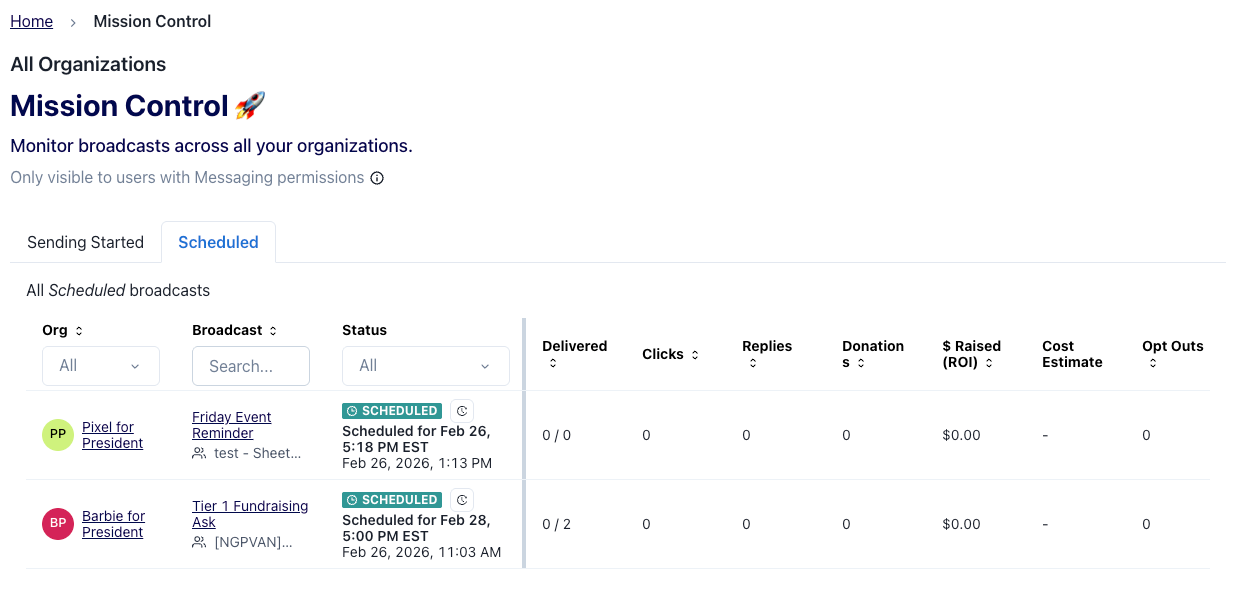
Mission Control gives you a centralized place to monitor activity, track progress, and stay on top of key workflows across your organizations. It’s designed to help teams quickly understand what’s happening across programs without needing to jump between organizations. Check it out now: https://oneswitchboard.com/mission-control
📚Learn more about Mission Control here!
⚡ Faster Uploads & Exports
Behind the scenes, we’ve made infrastructure improvements that should noticeably speed up:
CSV uploads
List processing
Data exports
Large lists and reporting workflows should now move faster!
🔗 New: External Donation Ingestion
Switchboard can now receive donation data from any external fundraising platform via an API — so you can power targeting, automation, and unified analytics using all your fundraising data, not just what comes through our built-in integrations.
This works through a new Donation Ingestion API. Your fundraising platform could configure an integration that sends donation data to Switchboard, or you can build your own by pulling data from the external platform and sending it to Switchboard using this API. It's a great option if you're working with a platform that doesn't yet have a native Switchboard integration and you have engineering resources available.
This will allow you to:
Power targeting and use automated expansions using all fundraising data
Keep engagement and fundraising analytics unified inside Switchboard
📚 Technical details and set-up instructions here!
🪞SQL Mirror Update: Credits and Charges Information
You can now see credits and charges incurred by your organization in the SQL mirror! The two new tables are charges_daily and credits_daily. You can find more information about these tables, sample queries to get you started, and everything else in the mirror in the SQL mirror data docs.
📊 Email Analytics Update: Microsoft Free vs Microsoft 365
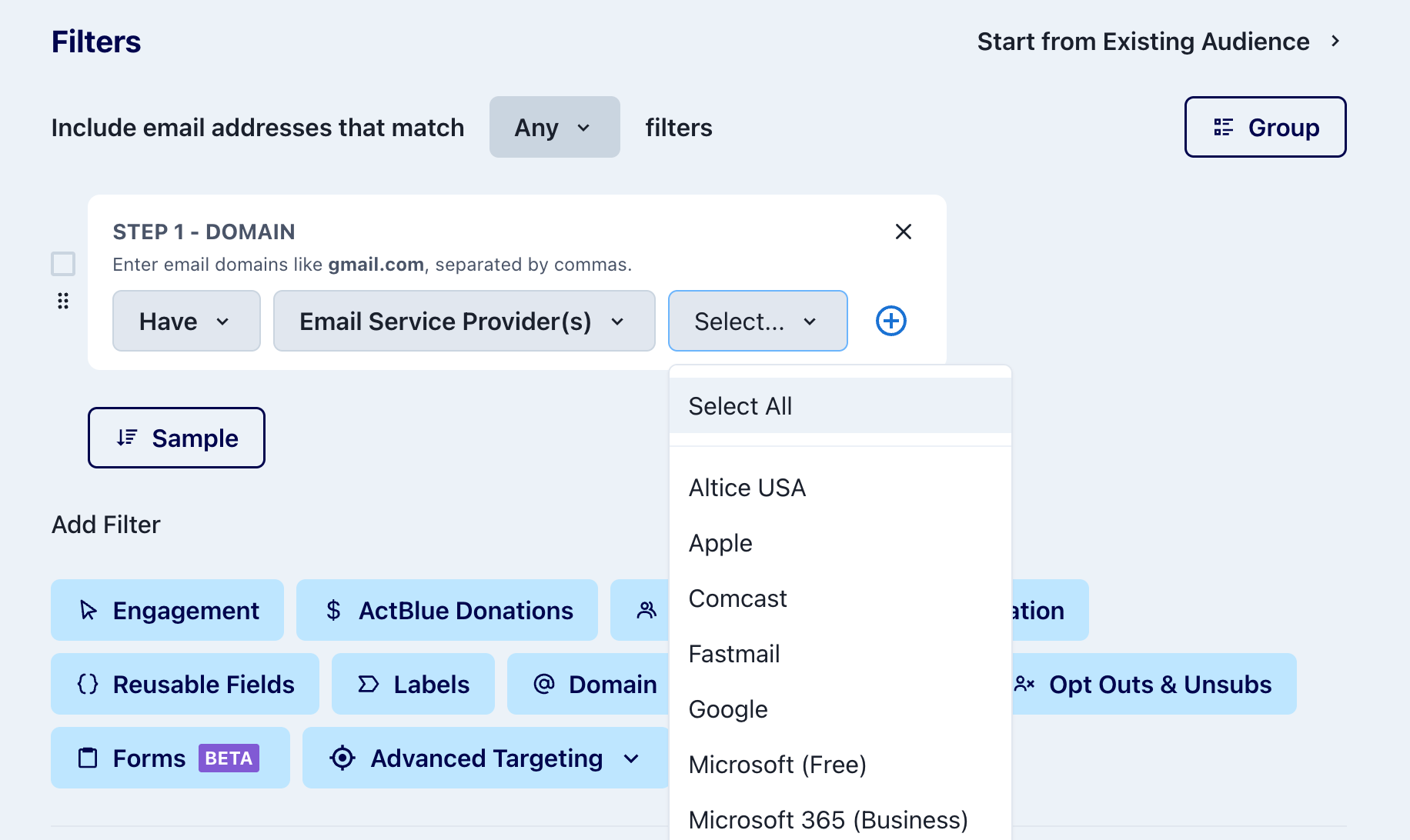
You’ll now see Microsoft Free and Microsoft 365 (Business) broken out separately across:
Blast stats
Analytics dashboard
Audience Builder targeting
Microsoft 365 business accounts often run automated security scanners that open every email, which can cause open rates to appear artificially high — sometimes close to 100%.
Our recommendation:
Consider suppressing Microsoft 365 (Business) opens from your standard “active” audience universe. Including these opens can inflate engagement audiences and make deliverability performance harder to interpret.
Your existing Microsoft targeting rules were automatically updated to group both categories together. If you’d like to adjust your targeting using this new split, you’ll need to update any existing saved searches.
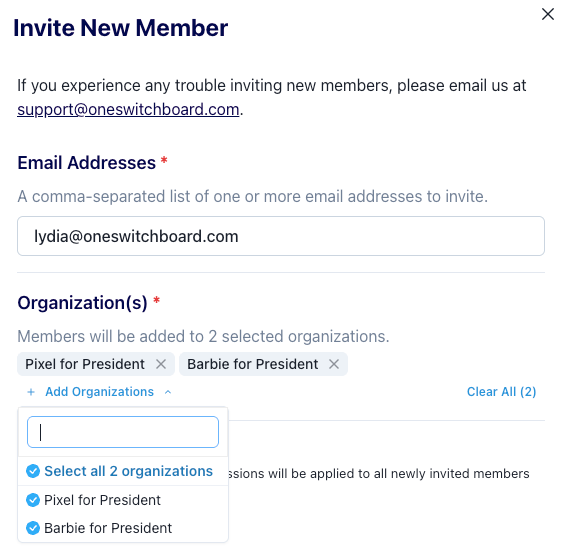
👥 Reminder: Add Members to Multiple Organizations at Once
If you manage multiple organizations, you can add new users in just one step:
Organization Members → Invite Member → Add Organizations
Select all organizations you want to grant access to, send one invite, and you’re done. This is perfect for onboarding new hires, consultants, or shared program staff working across multiple accounts.