June 2026 Product Update
Last updated: June 2, 2026
📱 New: Sending Number Management
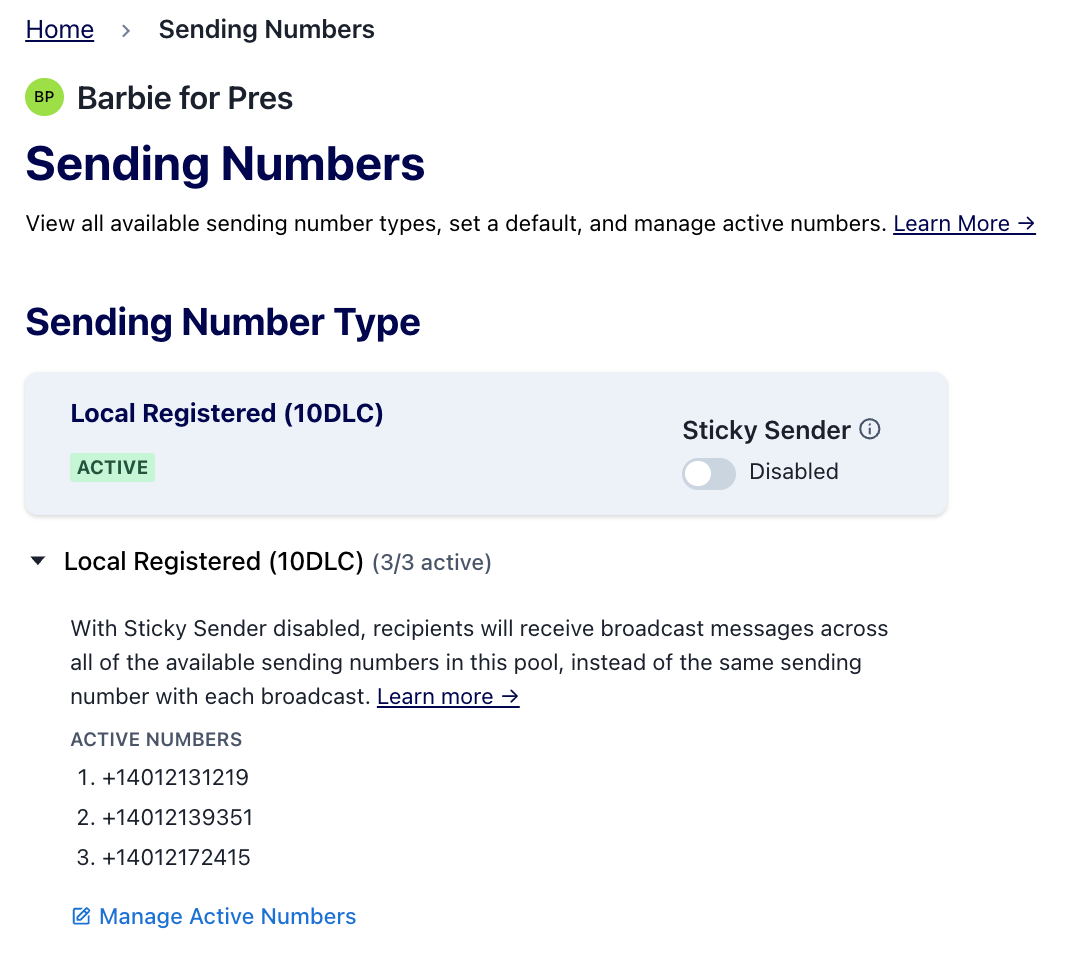
You now have more control over your 10DLC sending number pool. Head to Texting → Sending Numbers to see and manage all of your sending numbers.
You must have a minimum of 1 active sending number at all times.
We recommend keeping multiple numbers active for the best deliverability!
This is especially useful if you want to use a new sending number, or if you want more control over the threading experience for your recipients. Note: swapping numbers isn't guaranteed to improve performance, but it's a lever worth testing!
More number management features and visibility are on the way — including the ability to see whether a number has been used before. Stay tuned!
📚 Read more about sending number management →
💵 PayPal Now Available in Count On Me!
Count On Me now supports donations via PayPal! In beta testing, one customer saw PayPal increase donations by 2.4x compared to control — so we're pretty excited about this one.
Already using Count On Me? Head to Settings to connect a PayPal account. You can connect an existing PayPal account or create a new one. Once connected, the PayPal button will automatically appear on your forms — no further action required!
Not yet using Count On Me? Get started here. After completing the onboarding flow, you'll see the option to connect PayPal.
📚 Ready more about onboarding PayPal in Count On Me →
🚀 Mission Control Updates
Two new improvements to Mission Control to help you stay on top of your broadcast workflow:
Sending window indicator — Mission Control will now flag any broadcast where the current send time or scheduled time falls outside of the organization's sending window, so you can spot timing issues at a glance.
Customizable columns — you can now show or hide individual columns in Mission Control to focus on the data that matters most to you.
⚙ API Updates
We have three exciting new additions for teams using our API this month:
Multi-Organization API Keys
A single API key can now have access to multiple organizations — great for users who manage multiple organizations and previously needed a separate key for each. Single-organization keys continue to work exactly as before, no changes required.
Managing access — key creators can add organizations from Account Settings; organization admins can remove their organization's access at any time from Organization Settings.
Saved Searches — Engagement Filters
You can now create Saved Searches via the API that filter by message engagement — including delivery, clicks, replies, donations, opens, and more. This applies to all filter kinds: engagement, shared_engagement, and collective_engagement. Filters created via the API are viewable and editable in the Switchboard UI, and vice versa. See criteria.include.filters.kind in the full documentation for details.
One-Off Message Replies
You can now send a one-off text message to an existing phone number via the public API using POST /v1/phones/{phone_number}/messages. This will be especially useful for API users who are looking to automate sending messages to someone based on their replies or other actions they may have taken, potentially leveraging an AI agent.
📚 Read more about these API changes here →
🪝Receiving Webhooks
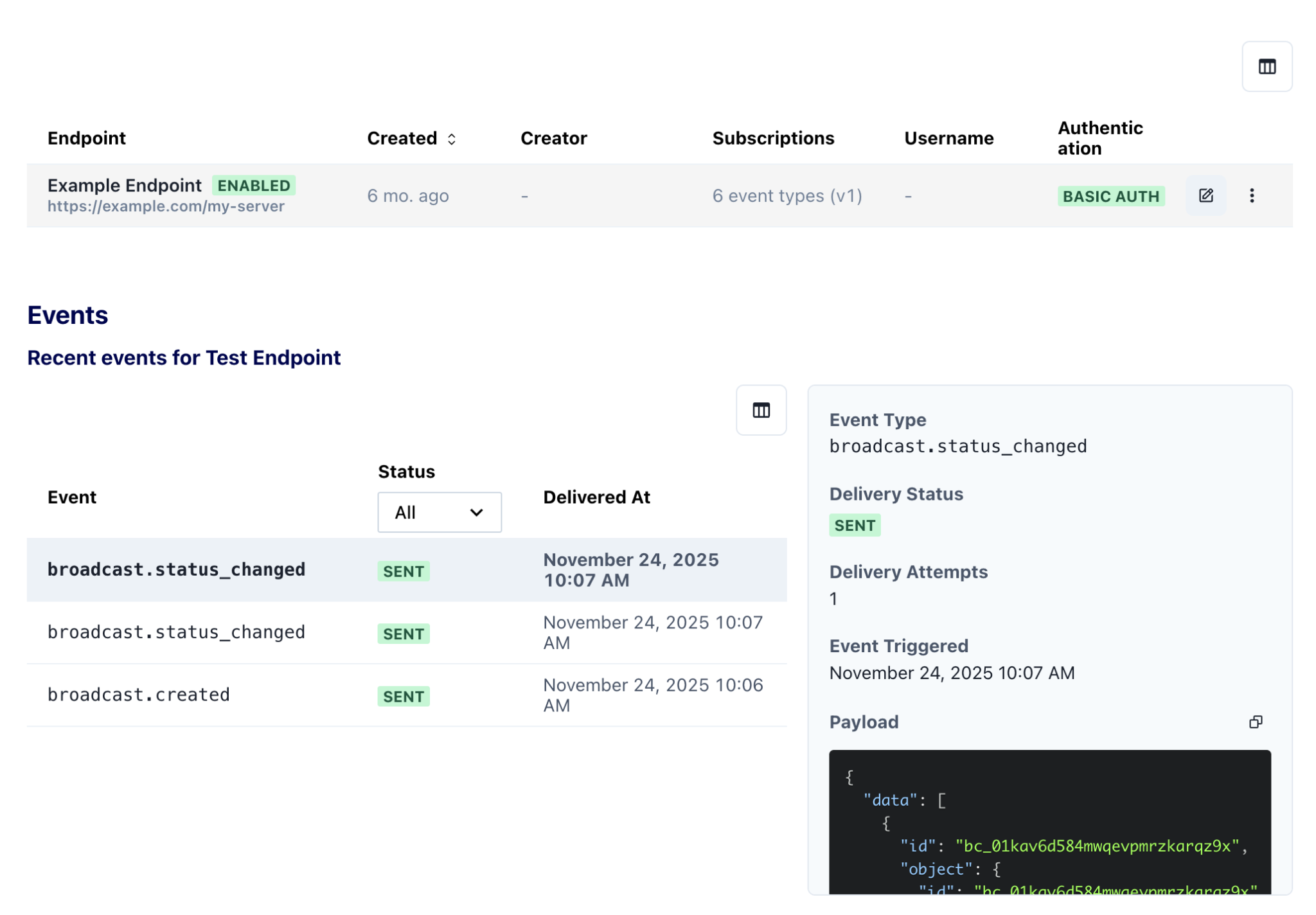
It is now possible to set up a destination URL that you control to receive HTTP webhooks when certain events happen on Switchboard. This can be used for slack notifications, data syncs, or more complex workflows using Switchboard’s API. Initial event types include broadcast status events, incoming replies to messages, and contributions received. Visit the webhooks tab in Organization Settings to set up a new Webhook URL.
Read more about these receiving webhooks here →
🔢 More Accurate Character Counter
We've updated the character counter in the message composer to more accurately account for custom fields and special characters like bold and italics. The counter will now better help you stay within your intended length while drafting a message. As usual, you can also check actual message lengths in the Preview, to avoid surprise segment overages.